On the Matter of the NVIDIA 340xx Proprietary Driver Not Installing

Preface
First of all, let me say this:
FUCK YOU NVIDIA!
Since I don’t have much time lately, I often go days without updating Arch. I rolled the system a couple of days ago, and the driver broke.
The kernel was updated to 5.15.3.
Initially, I didn’t think it was a big deal—just an update away from being fixed.
So I ran:
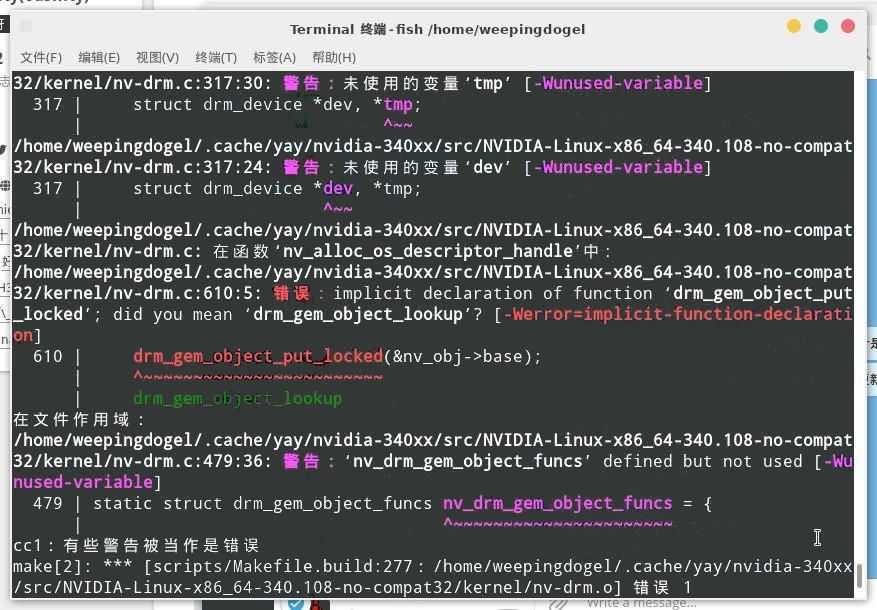
$ yay -S nvidia-340xxBut I didn’t expect this to happen:
Wahhh!!! Why can’t it compile!!!
Jensen Huang NMSL!!!
The Solution Process
Ahem, despite this, I took a day to calm down, and then started trying to manually makepkg to see if it would work.
As usual, I should git the PKGBUILD from the AUR.
But just as I was opening the AUR page for the nvidia-340xx package, I saw this comment:
Users of this package should block automatic update of their kernel. There is not enough man power to update it as fast as newer kernels are released.

Can’t understand English? Let me translate for you:
Users of this package should block automatic updates of their kernel. There isn’t enough manpower to update it as fast as newer kernels are released.
Right then and there, I wanted to say:
FUCK YOU NVIDIA!
Then I thought about reverting to an older kernel. As I scrolled down, I found another useful comment:
Patch for kernel 5.15 https://pastebin.com/uYP9J2Cw Found here https://github.com/warpme/minimyth2/issues/15

Then I looked at the package’s file directory:
.
├── 0001-kernel-5.7.patch
├── 0002-kernel-5.8.patch
├── 0003-kernel-5.9.patch
├── 0004-kernel-5.10.patch
├── 0005-kernel-5.11.patch
├── 0006-kernel-5.14.patch
├── 20-nvidia.conf
├── nvidia-340xx.install
└── PKGBUILD

0 directories, 9 files
Although I’m not very experienced with this, I noticed that the *.patch filenames seem to correspond to various kernel versions.
And that comment provided a new patch file link and an issue link.
I immediately understood what was going on—the files needed for packaging had been updated, but hadn’t been committed to the AUR yet…
Damn, I had to try it myself.
So, with a “let’s give it a try” attitude, I opened its PKGBUILD.
pkgbase=nvidia-340xx
pkgname=(nvidia-340xx nvidia-340xx-dkms); [ -n "$NVIDIA_340XX_DKMS_ONLY" ] && pkgname=(nvidia-340xx-dkms)
pkgver=340.108
pkgrel=25
pkgdesc="NVIDIA drivers for linux, 340xx legacy branch"
arch=('x86_64')
url="https://www.nvidia.com/"
makedepends=("nvidia-340xx-utils=${pkgver}" 'linux>=5.5' 'linux-headers>=5.5')
conflicts=('nvidia')
license=('custom')
options=(!strip)
# https://github.com/warpme/minimyth2/tree/master/script/nvidia/nvidia-340.108/files
source=("https://us.download.nvidia.com/XFree86/Linux-x86_64/${pkgver}/NVIDIA-Linux-x86_64-${pkgver}-no-compat32.run"
  20-nvidia.conf
  0001-kernel-5.7.patch
  0002-kernel-5.8.patch
  0003-kernel-5.9.patch
  0004-kernel-5.10.patch
  0005-kernel-5.11.patch
  0006-kernel-5.14.patch
)
I noticed that line in the file. I wondered—if I download this new file, put it in the build directory, and add it to this list, would it compile?
So I downloaded the file and placed it in the build directory.
(I’ll skip the specific steps—they were just wget, cp, cd, and such.)
And I added the filename:
source=("https://us.download.nvidia.com/XFree86/Linux-x86_64/${pkgver}/NVIDIA-Linux-x86_64-${pkgver}-no-compat32.run"
  20-nvidia.conf
  0001-kernel-5.7.patch
  0002-kernel-5.8.patch
  0003-kernel-5.9.patch
  0004-kernel-5.10.patch
  0005-kernel-5.11.patch
  0006-kernel-5.14.patch
  0007-kernel-5.15.patch
)
Next:
$ makepkgBut I quickly got an error:
==> Creating package: nvidia-340xx 340.108-25 (Mon 22 Nov 2021 02:08:12 PM CST)
==> Checking runtime dependencies...
==> Checking build dependencies
==> Fetching sources...
  -> Found NVIDIA-Linux-x86_64-340.108-no-compat32.run
  -> Found 20-nvidia.conf
  -> Found 0001-kernel-5.7.patch
  -> Found 0002-kernel-5.8.patch
  -> Found 0003-kernel-5.9.patch
  -> Found 0004-kernel-5.10.patch
  -> Found 0005-kernel-5.11.patch
  -> Found 0006-kernel-5.14.patch
  -> Found 0007-kernel-5.15.patch
==> ERROR: Integrity checks missing for: source
Then I tried regenerating the checksums:
makepkg -gAnd I copied the returned data into the PKGBUILD (note: the returned content is not unique):
b2sums=('6538bbec53b10f8d20977f9b462052625742e9709ef06e24cf2e55de5d0c55f1620a4bb21396cfd89ebc54c32f921ea17e3e47eaa95abcbc24ecbd144fb89028'
        '49d99f612e8eee3ab5e34083c25348bfd14ed5fc8a7984dafc0dad7c0ae0df2c0b2a63a1bb993da440eb0a60293d7c753ca3889bd2f51991b8ddc51bce2fe4a8'
        '7150233df867a55f57aa5e798b9c7618329d98459fecc35c4acfad2e9772236cb229703c4fa072381c509279d0588173d65f46297231f4d3bfc65a1ef52e65b1'
        'b436095b89d6e294995651a3680ff18b5af5e91582c3f1ec9b7b63be9282497f54f9bf9be3997a5af30eec9b8548f25ec5235d969ac00a667a9cddece63d8896'
        '947cb1f149b2db9c3c4f973f285d389790f73fc8c8a6865fc5b78d6a782f49513aa565de5c82a81c07515f1164e0e222d26c8212a14cf016e387bcc523e3fcb1'
        '665bf0e1fa22119592e7c75ff40f265e919955f228a3e3e3ebd76e9dffa5226bece5eb032922eb2c009572b31b28e80cd89656f5d0a4ad592277edd98967e68f'
        '344cd3a9888a9a61941906c198d3a480ce230119c96c72c72a74b711d23face2a7b1e53b9b4639465809b84762cdc53f38210e740318866705241bc4216e4f35'
        '31a4047ab84d13e32fd7fdbf9f69c696d3fab6666c541d2acf0a189c1d17c876970985167fd389a4adc0f786021172bdec1aa6d690736e3cf9fcd8ceabe5fd32'
        'a26426488f6e105f546e091ce4d2e9587cc41a0fb05b0dffeb1c523d8d06782bda3004352655c9c019224091f7bc7903939e53ede73f64553f14be8e8a47793a')
Then I ran makepkg again, and it compiled successfully.
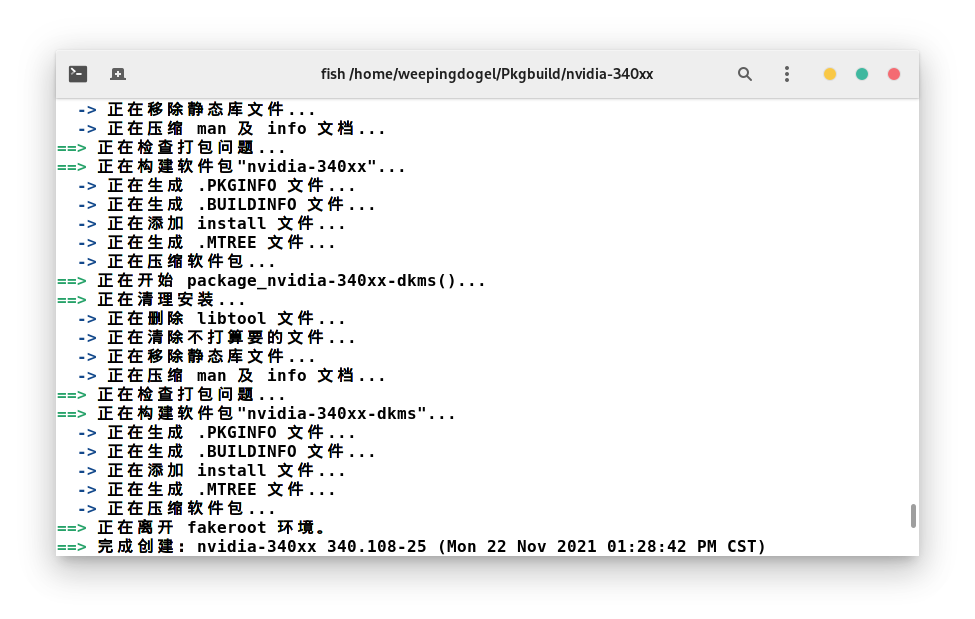
Next, install it with pacman:
sudo pacman -U nvidia-340xx-dkms-340.108-25-x86_64.pkg.tar.zstFinally, pacman gave us this message:
>>> You must tell Xorg to use the nvidia driver with kernels >=5.11.0.
    You must also set IgnoreABI option with Xorg version >= 21.1.1.
    Minimal config example provided in /usr/share/nvidia-340xx/20-nvidia.conf
    which you should manually place in /etc/X11/xorg.conf.d/
That’s easy enough.
Just copy the file:
cp /usr/share/nvidia-340xx/20-nvidia.conf /etc/X11/xorg.conf.d/Then reboot.

Problem solved~
Conclusion
One last thing:
FUCK YOU NVIDIA!