A Tryout of the IPFS Protocol — A Pioneer of the Web3.0 Era


This logo is really cool.
What is IPFS?
IPFS (InterPlanetary File System) — the name sounds like a file system, right? Translated as “Interstellar File System”, doesn’t that sound advanced?
Actually, what it can achieve is far more powerful than a file system.
In fact, its principle is similar to BitTorrent — it has a decentralized nature, which might accelerate the transition from Web 2.0 to Web 3.0.
It might lead the charge in overturning all the development logic of the Web 2.0 era. This is because it’s a protocol even more fundamental than HTTP. It’s not just about downloading stuff via BT — it can allow all information to be transmitted in a decentralized manner.
So I’m quite interested in it. Today, let’s play around with it.
What Can I Do?
For someone as much of a beginner as me, I can start with the methods described in the official documentation. 233.
Installation
Before anything else, I need to install IPFS.
There are multiple installation options to choose from.
Check out the Install section of the IPFS official documentation.
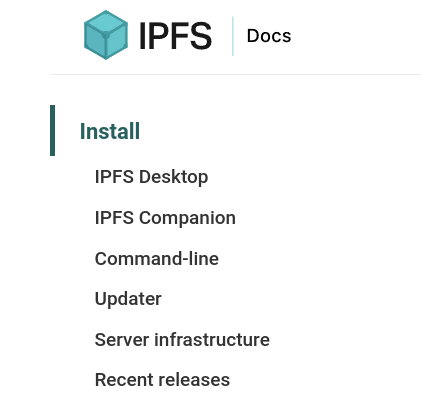
Desktop users (Windows, Mac, Linux) can use IPFS Desktop by following the tutorials in the official documentation for installation and configuration. Linux can also use it.
However, Arch requires the AUR to install the ipfs-desktop package, so I decided to install the command-line version of ipfs.
According to the official documentation tutorial:
We need to use wget to download a package called kubo:
- Download the Linux binary from dist.ipfs.tech.
wget https://dist.ipfs.tech/kubo/v0.14.0/kubo_v0.14.0_linux-amd64.tar.gz
Then we need to extract it, copy files, and go through a series of tedious steps. But for us Arch users, we don’t need to bother with that. The official repository already has this package.
Open your terminal and search for the package using pacman:
sudo pacman -Ss kuboYour terminal will return something like this:
community/kubo 0.14.0-1
    A peer-to-peer hypermedia distribution protocol
Just install it!
sudo pacman -S kuboNow we can happily use ipfs! Haha! This is the superiority of us Arch users!!!
Now let’s deploy IPFS and turn our machine into an IPFS node!
ipfs init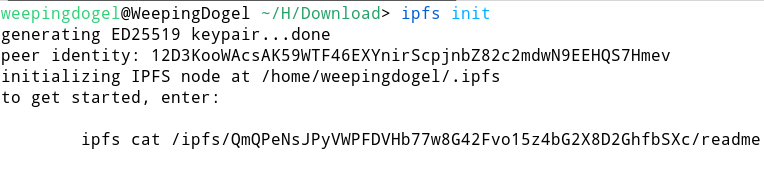
ipfs daemon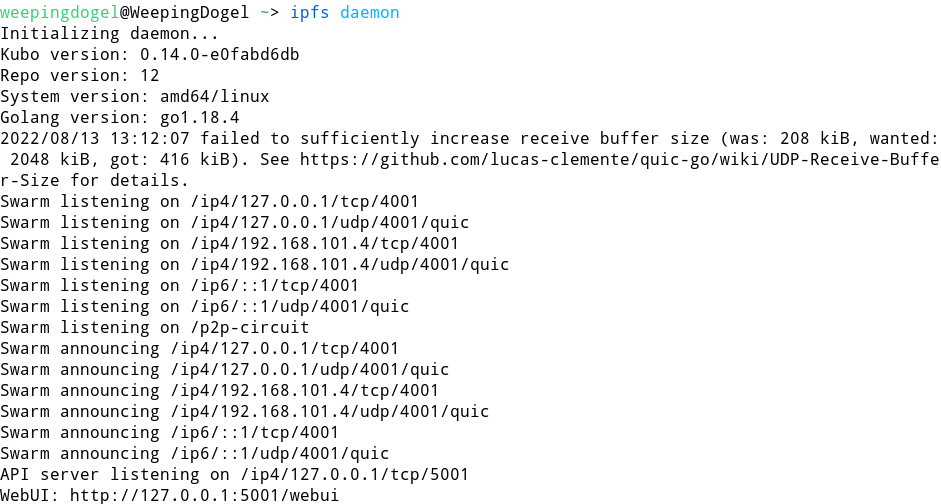
Now open the WebUI using Brave browser: http://127.0.0.1:5001/webui
And you’ll see this interface:
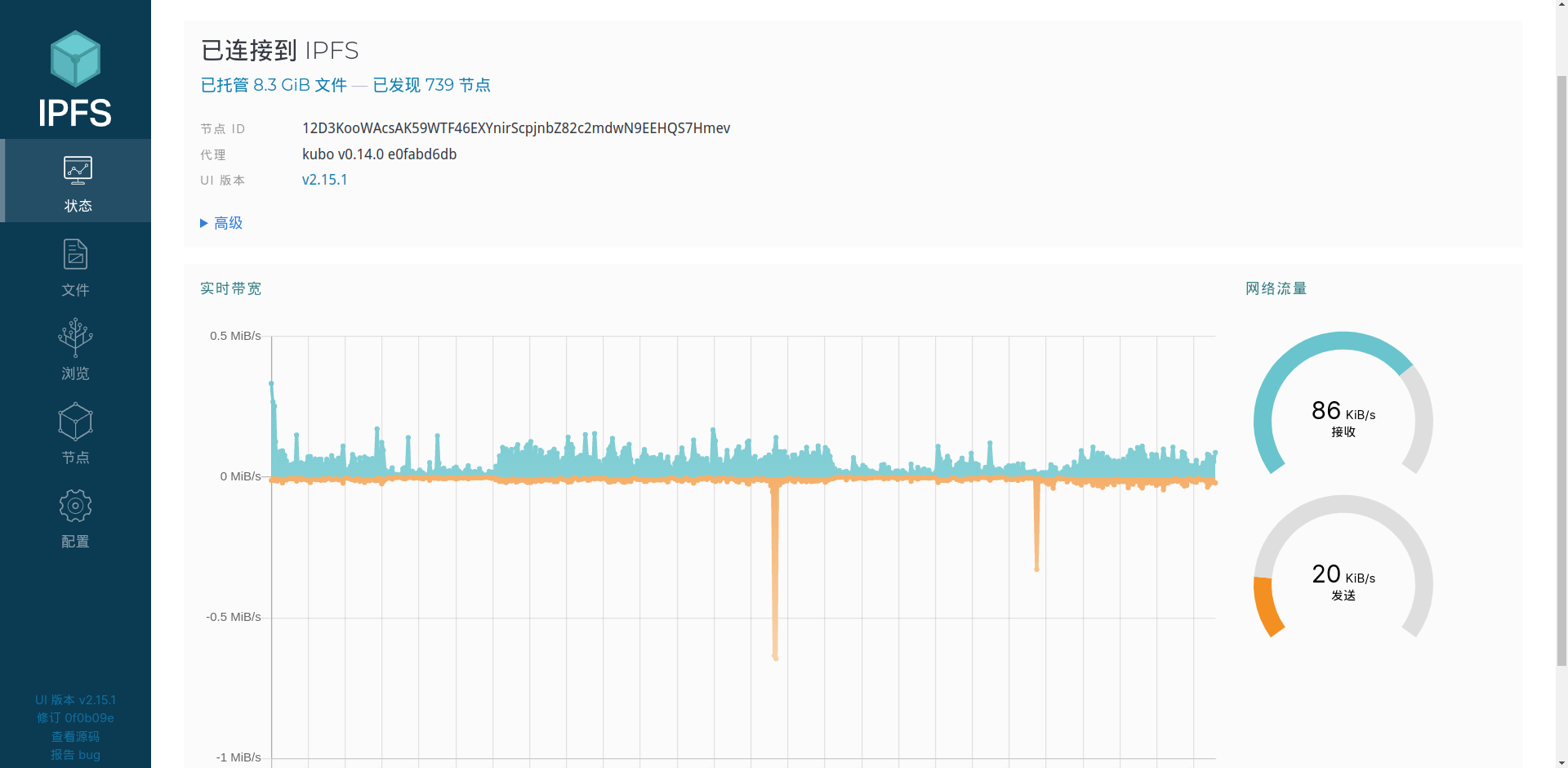
Isn’t it super simple!
Also, I recommend using the Brave browser to access IPFS services, as it natively supports the IPFS gateway!
File Transfer
In the current Web 2.0 model, we have to transfer files through the cloud storage services of big companies, with limitations on transfer speed and storage space.
Using IPFS for file transfer bypasses these limitations, and can also avoid a significant amount of censorship.
Using IPFS for file transfer is also very simple — just use the WebUI.
First, click “Files”:

Then click “Import” in the top right:
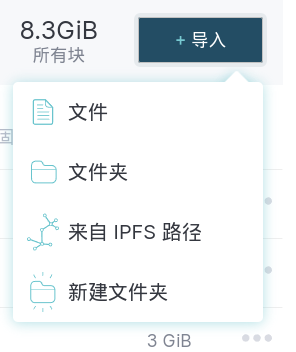
The sender can click File or Folder to import the files they want to share. The browser will automatically bring up the system or DE’s native file picker. Find the files you need to share.
Then click the three dots on the right of the corresponding file:
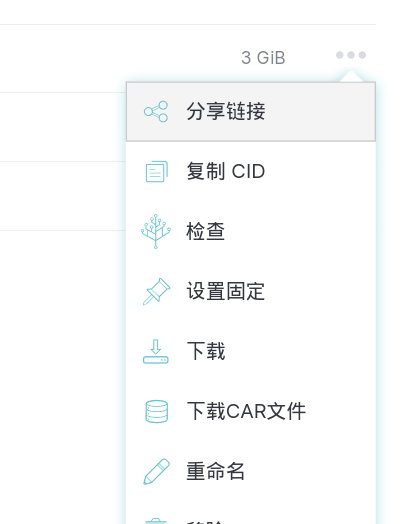
Select Copy CID, and send the CID to the recipient.
The recipient clicks From IPFS Path:
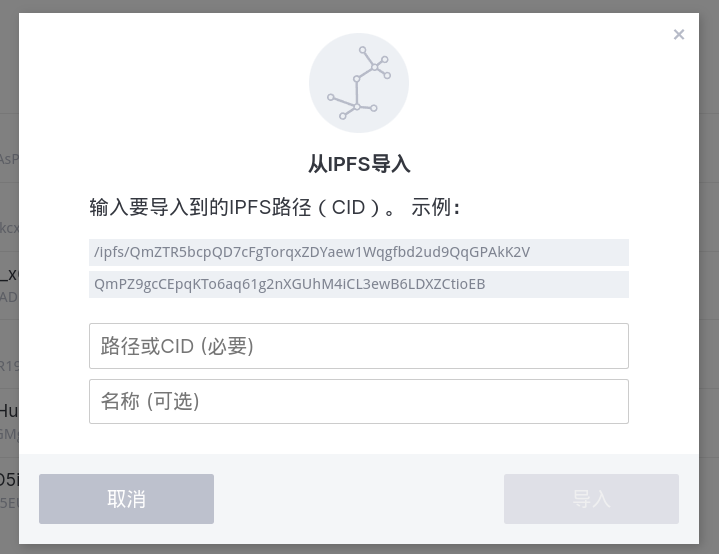
Paste the CID into it to import it into the WebUI’s file list.
It’s a graphical operation — very simple.
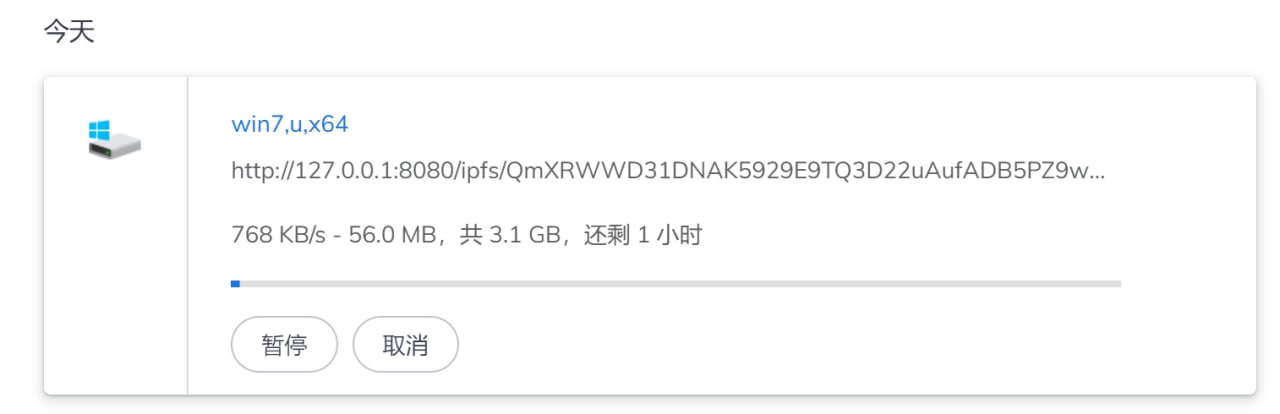
I tested it with a few random files. When nodes are close to each other, the transfer speed is astonishing.
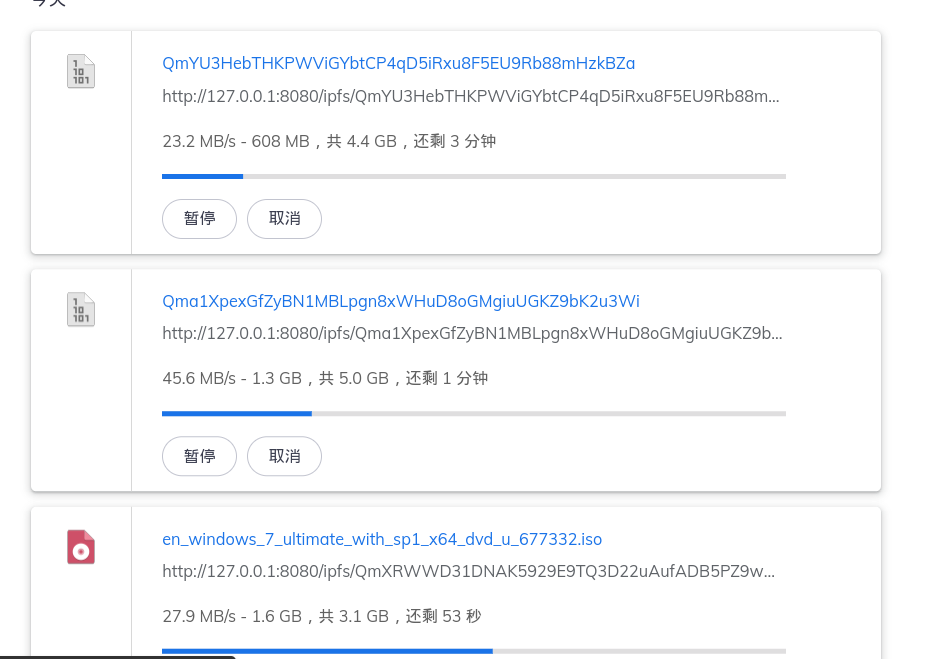
Over long distances, the speed is a bit less impressive, but still very stable. At least it’s much faster than some commercial cloud storage services, and it’s free.
Web Pages
IPFS can also be used to display web pages, and it’s very simple!
Here’s a simple example.
First, write an HTML file.
<!DOCTYPE html>
<html>
    <head>
        <meta charset="utf-8">
        <title>Hello! IPFS!</title>
    </head>
    <body>
        <h1 style="font-size: 100px;">Hello! IPFS!!</h1>
    </body>
</html>
Save it, and use the same method as file transfer to import index.html into your IPFS node.
Then click the three dots on the far right of the file. This time, unlike before, we click the first button, Share Link.


Then access the link directly with Brave browser.
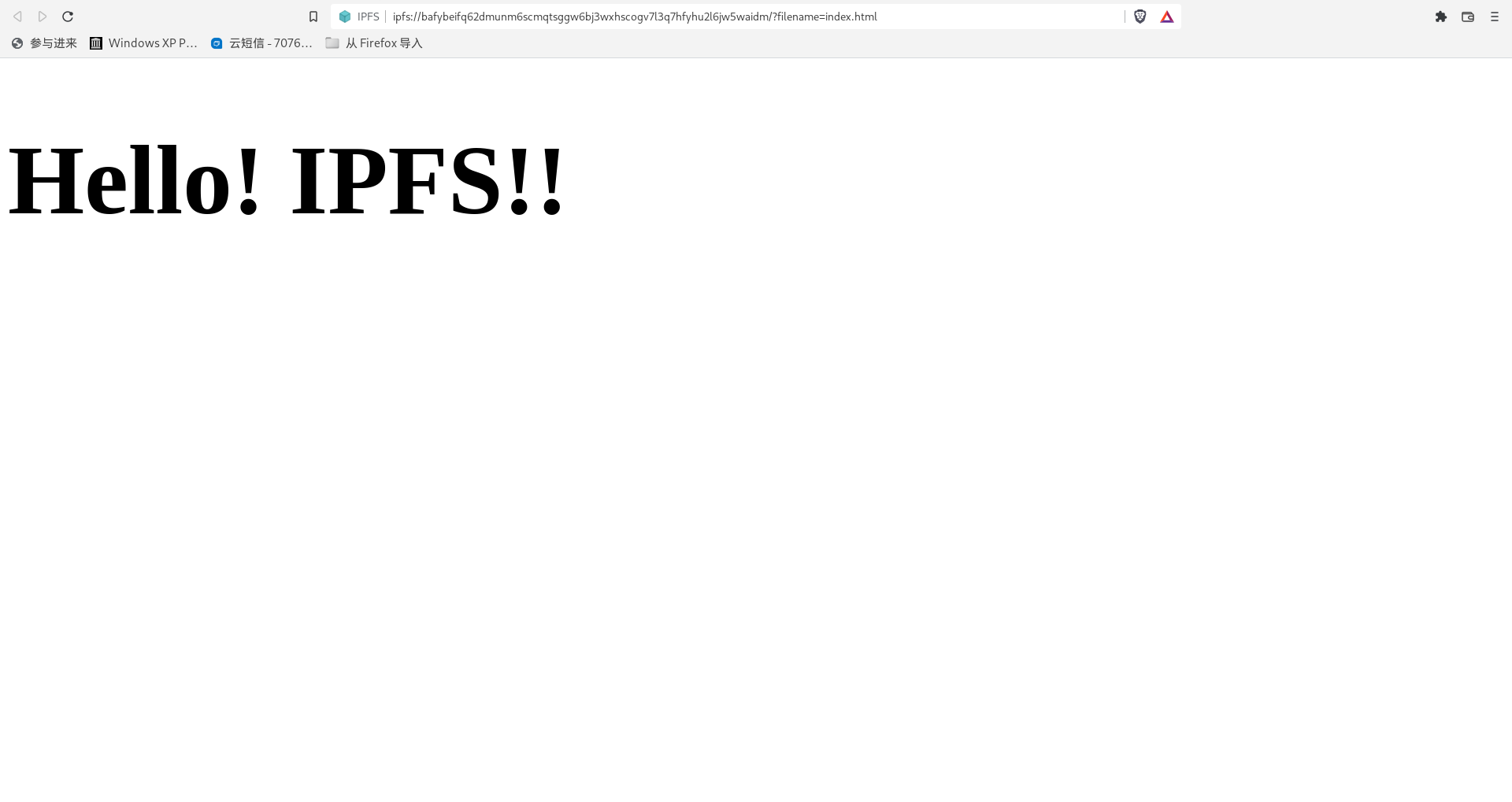
The page opens successfully. Notice that the protocol at the beginning of the address bar is neither HTTP nor HTTPS, but ipfs://.
This shows that the webpage was opened via the IPFS protocol:
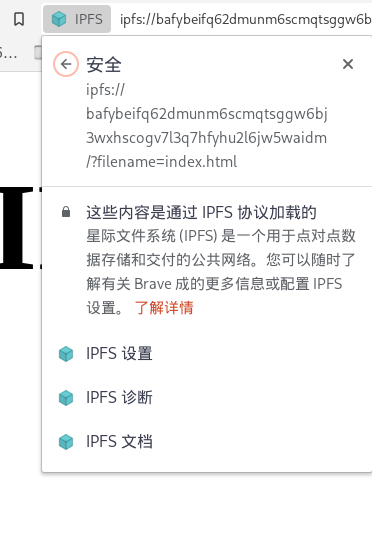
Websites built on peer-to-peer protocols like this can effectively avoid censorship, and the content will be richer.
What Impact Will It Have on the Future?
As it stands, IPFS nodes and users are still relatively few — it’s still in a niche phase.
But from my amateur tryout, I can see that IPFS is excellent in both file transfer and webpage hosting.
The only thing I want to say is:
With fewer than a thousand nodes worldwide, the slowest download speed can still stabilize at around 1MB/s, while some commercial cloud storage services that have been running for over a decade only manage 9kb/s.
I really can’t think of any reason to reject the embrace of IPFS.
Maybe one day IPFS will become popular, and the number of nodes could increase to 7 billion. At that time, accessing and sharing resources will be freer and more efficient.
Besides that, if IPFS is used to do more things that meet people’s needs — complete decentralization — it will deal a heavy blow to the giants of the Web 2.0 era.
What are you waiting for? Set up an IPFS node locally and give it a try! Maybe you’ll think of some interesting things to do with IPFS? Leave a comment below!